
Để thay đổi Address của WebBrowser, ta phải gõ đầy đủ như sau
WebBrowser0.ControlSource = "=""URL"""Ví dụ:
WebBrowser0.ControlSource = "=""http://tonghop.thuthuataccess.com/2009/11/lay-ve-so-seri-cpu-trong-access.html"""
WebBrowser0.ControlSource = "=""URL"""
WebBrowser0.ControlSource = "=""http://tonghop.thuthuataccess.com/2009/11/lay-ve-so-seri-cpu-trong-access.html"""
![[Image: solanmoform.png]](https://lh3.googleusercontent.com/blogger_img_proxy/AEn0k_tnHbEbZAqq4J2joiOUU7BaiJo3kuIw52RFeFqgjMc8y99snQQCj8Hsd1iqns_TJ09TBoXKpbVE-9hva404SUxqSBhpGx2k2owd_sPlahZga71y8YQw_9J1lXuBOl07AUIQC7KfPMPtq0V-dRE=s0-d)
Private Sub Form_Open(Cancel As Integer)

DoCmd.SetWarnings False

Dim frm As String

Dim t As Integer


    frm = DCount("formname", "Forminfo", "formname='" & Me.Name & "'")

    t = Nz(DLookup("times", "Forminfo", "formname='" & Me.Name & "'"), 0)


If frm = 0 Then 'Neu form chua mo lan nao

    t = t + 1

    DoCmd.RunSQL "Insert into Forminfo(formname,times) values('" & Me.Name & "'," & t & ")"

    txtT = t

ElseIf frm > 0 And t < 5 Then 'Cong don so lan mo form

    t = t + 1

    DoCmd.RunSQL "Update FormInfo set Times =" & t

    txtT = t

ElseIf frm > 0 And t = 5 Then ' Neu da mo form duoc 5lan

    MsgBox "This form was opened 5 times" & vbCrLf & vbCrLf & "Expired!!!"

    Cancel = True

End If


End Sub
![[Image: exspire5lan.png]](https://lh3.googleusercontent.com/blogger_img_proxy/AEn0k_tuOFchLznnTd8RhdGsJS41-frM-7VgxGc0rFWkaQl_GmBO5fmbpdU4amV2Tdt1bqb7N0M7yr3IufqGQWyv_E-MnpCNrL2Hxwtz-hZCjrAK1paa2JfyjfWonjOYGEM9r-7d-QYQ2QZZkkqDHqQ=s0-d)
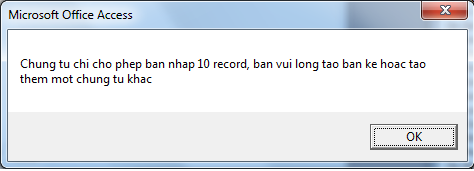
 Chú ý, để sử dụng được các đối tượng có sẵn của Office, bạn phải khai báo sữ dụng thư viện Office bằng cách vào cửa sổ VBA, Menu Tool--> references, chọn Microsoft Office 11.0 library. (chọn 10.0 đối với AccessXP)
Function getFile(Tit As String, formatName As String, formatType As String)
Dim dlgOpen As FileDialog
Set dlgOpen = Application.FileDialog(msoFileDialogOpen)
With dlgOpen
.Title = Tit
.Filters.Clear
.Filters.Add formatName, formatType
.AllowMultiSelect = False
result = .Show
If (result <> 0) Then
getFile = Trim(dlgOpen.SelectedItems.Item(1))
End If
End With
End Function
Private Sub cmdSelectfile_Click()
Me![txtPath] = getFile("c:\", "Select the Excel File", "*.xls")
End Sub
Private Sub cmdImport_Click()
DoCmd.TransferSpreadsheet acImport, acSpreadsheetTypeExcel8, txtTenTable, txtPath, True, txtRange
MsgBox "import thanh cong"
End Sub
Private Sub Listofforms_enter()' Nhập tiếp thuộc tính After Update của Combo box
Dim MyDb as Database
Dim MyContainer as Container
Dim I as integer
Dim list as string
Set MyDb = DBEngine.Workspace(0).Database(0)
Set My Container = MyDb.Containers("Forms")
List = " "
For I=0 to MyContainer.Documents.count - 1
List = List & MyContainer.Documents(I).name & ";"
Next I
me![List of Forms].Row Suorce = Left(List, Len(list)-1)
End sub
Private Sub ListofForms_AfterUpdate()
Docmd.OpenForm me
Private Sub Form_Unload(Cancel As Integer)
If hasError Then
If MsgBox("Có dữ liệu bị lỗi, Bạn có muốn đóng không?", vbYesNo) = vbNo Then
Cancel = True
Else
DoCmd.RunCommand acCmdUndo
End If
End If
End Sub
Private Sub Form_Error(DataErr As Integer, Response As Integer)____________________________________________________________________________________
Respponse = acDataErrContinue
hasError = True
Select Case DataErr
Case 2169
MsgBox "Co loi khi luu du lieu."
Case Else
MsgBox "Err No." & DataErr & vbCrLf & "Err Mess: " & Error(DataErr)
End Select
End Sub
DLookUp("[Phone]","Customer","[Phone] = '" & [Forms]![Customer]![Phone] & "' and [CusID] <>'" & [Forms]![Customer]![CusID] & "'") Is Null
Function SortListBox(objListBox As ListBox)Bạn tạo 1 module mới rồi copy đoạn code trên vào.
Dim intFirst As Integer
Dim intLast As Integer
Dim intNumItems As Integer
Dim i As Integer
Dim j As Integer
Dim strTemp As String
Dim MyArray() As Variant
'Re-Dim the array
ReDim MyArray(objListBox.ListCount - 1)
'Get upper and lower boundary
intFirst = LBound(MyArray)
intLast = UBound(MyArray)
'Set array values
For i = LBound(MyArray) To UBound(MyArray)
MyArray(i) = objListBox.ItemData(i)
Next i
'Loop through array values to determine sort
For i = intFirst To intLast - 1
For j = i + 1 To intLast
If MyArray(i) > MyArray(j) Then
strTemp = MyArray(j)
MyArray(j) = MyArray(i)
MyArray(i) = strTemp
End If
Next j
Next i
'Remove all items
For i = intLast - 1 To intFirst Step -1
objListBox.RemoveItem i
Next i
'Add all items in order
For i = intFirst To intLast - 1
objListBox.AddItem MyArray(i), i
Next
End Function
Private Sub Command1_Click()
Call SortListBox(List0)
End Sub
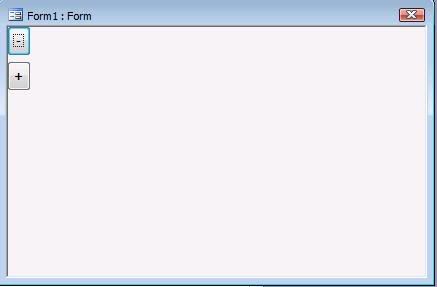
Private Sub FormReSize(giatri As Single)Sau đó, trong form, ta tạo hai nút tăng/ giảm kích thước, để cho nhanh mình để tên mặc định . Và gọi thủ tục trên :
Me.InsideHeight = Me.InsideHeight / giatri
Me.InsideWidth = Me.InsideWidth / giatri
Dim ctrl As Control
For Each ctrl In Me.Controls
ctrl.Height = ctrl.Height / giatri
ctrl.Width = ctrl.Width / giatri
ctrl.Left = ctrl.Left / giatri
ctrl.Top = ctrl.Top / giatri
Next
Me.Repaint
End Sub
Private Sub Command0_Click()
FormReSize 1.1
End Sub
Private Sub Command1_Click()
FormReSize 0.9
End Sub

